
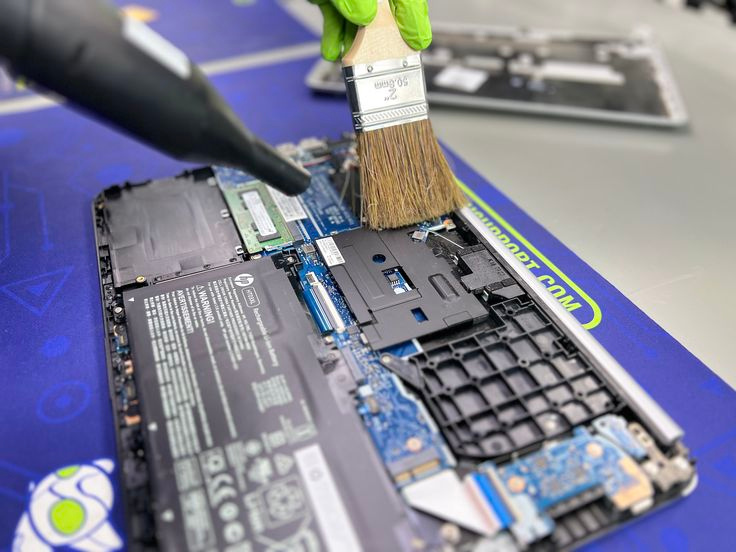
A laptop may look clean on the outside, but dust and dirt can quietly build up inside and affect its performance. So, how do you know when your laptop actually needs cleaning? Here are a few clear signs you shouldn’t ignore.
1. The fan is suddenly louder
If your laptop starts sounding like it’s “taking off,” it’s a strong sign that dust is blocking the airflow. When the fan works harder than usual, it means the internal components are heating up.
2. The laptop gets hot quickly
Feeling heat near the keyboard or bottom panel? Dust buildup can trap heat inside, making your laptop warm even during light tasks like browsing or streaming.
3. Performance becomes slower
Overheating forces your laptop to reduce its speed to protect the hardware. If simple tasks begin to lag or apps take longer to open, cleaning could help restore smooth performance.
4. Visible dust around vents or keyboard gaps
Check the fan grills, USB ports, and keyboard. If you see layers of dust, it’s a sign the inside is likely dirty as well.
5. Battery drains faster than usual
When the system overheats, the battery works harder and loses power more quickly. Cleaning the fans and vents can help keep temperatures stable.
In short:
If your laptop is loud, hot, slow, dusty, or draining battery quickly, it’s probably time for a cleaning. Regular maintenance not only improves performance but also extends the life of your device.